gCMOB Favorites and Channel Organization Guide for Faster Checking

Organize gCMOB channels for faster daily checks: channel renaming, favorites, view layouts, grouping by importance, and a tidy structure for homes and shops with many cameras.

Rated 4.5/5 · 204.5k

Introduction

The difference between a camera system people actually check and one they ignore is usually thirty seconds of scrolling. When gCMOB opens onto a long list of identically named channels, checking feels like work; when the important views are named clearly and gathered as favorites, it becomes a glance.

This guide covers the organization tools and habits that keep daily monitoring fast as your channel count grows. Everything covered here ties back to the main gCMOB Download for Android - CCTV Camera Monitoring App Guide page, where the download and the key facts live.
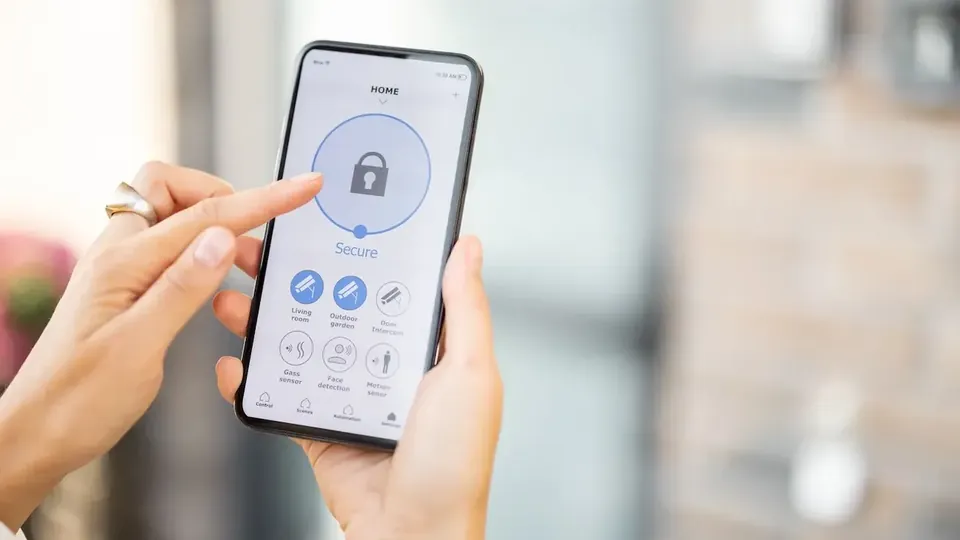
Rename Every Channel by What It Watches

Channel names come from the recorder, and defaults like CH1 or Camera 4 carry no information. Rename each channel to its view: Front Gate, Shop Counter, Parking, Back Door, Stock Room.

Do the renaming from the recorder settings or the app where supported, standing in front of the live view so name and picture match with certainty:

  • Names describe the view, not the hardware
  • Rename while watching the live picture
  • Short names fit list and grid views
  • Update names when cameras move
  • Consistent names help every viewer

Build a Favorites Set Around Real Habits

Favorites should mirror your actual checking pattern, not every camera you own. Most users truly check entrances, cash-handling areas, and one overview. Those three to six channels belong in favorites; the rest live one level deeper for investigations.

Review the set monthly. A camera you have not opened in a month is not a daily favorite, whatever its theoretical importance:

  • Entrances and counters first
  • Three to six channels is a healthy set
  • Monthly review keeps favorites honest
  • Favorites are for checking, not storage
  • Every viewer can keep their own pattern in mind

Choose Grid Layouts Deliberately

Grid view trades size for breadth. A four-channel grid of your top views gives a genuine one-glance status check; a sixteen-channel grid turns every picture into a postage stamp where motion is visible but identification is impossible.

Use grids to notice, and single view to understand. See something move in the grid, tap into that channel, and check properly on the main stream:

  • Four-grid suits daily glance checks
  • Large grids show motion, not detail
  • Tap through for identification
  • Match grid size to screen size
  • Save preferred layouts where supported

Order Devices and Channels by Importance

Within the device list, keep the site you check most at the top. Within a recorder, the channel order is fixed by wiring, which makes naming even more important because you cannot reshuffle wired channels at will.

Where a recorder is being installed or rewired, ask the installer to wire your most important cameras to the earliest channels; it pays off every day afterward:

  • Most-checked device at the top
  • Channel order follows recorder wiring
  • Wire key cameras to early channels
  • Names compensate for fixed order
  • Document the final layout for staff

Organization for Shared and Staff Use

When several people use the same system, organization is communication. Shared naming means a colleague's instruction to check the Stock Room camera makes sense to everyone, and new staff learn the layout in minutes.

Keep a one-page camera map near the recorder: channel names, what each watches, and which are favorites. It survives staff changes better than memory does:

  • Shared names prevent confusion
  • A printed camera map helps new staff
  • Agree favorites for shared roles
  • Update the map when cameras change
  • Owner reviews organization quarterly

Organizing for Investigations, Not Just Daily Checks

Daily organization favors entrances; investigations need geography. When an incident moves, you follow a person from gate to corridor to stock room, and a channel list ordered along real walking routes makes that follow-up dramatically faster.

If your recorder allows custom channel ordering in views, arrange the investigation order once: the path a person actually takes through the property:

  • Order channels along walking routes
  • Investigations follow people, not lists
  • Geography beats installation order
  • Practice one follow-the-person drill
  • Update order when the layout changes

Teaching the Layout to Family and Staff

An organized system still fails if only one person understands it. Spend five minutes showing each regular viewer the favorites, the naming logic, and how to reach playback for a channel.

That tiny training investment means a call asking which camera covers the back door never happens during an actual incident:

  • Five-minute orientation per viewer
  • Show favorites and playback paths
  • Naming logic explained once, used forever
  • Print the camera map for shared spaces
  • Refresher when cameras are added

Signs Your Organization Needs a Reset

If checking takes more than half a minute, if staff describe cameras by vague locations instead of names, or if nobody can say which channel covers a given door, the system has outgrown its organization.

A reset takes one focused session: rename everything against live views, rebuild favorites from real habits, and print the new map the same day:

  • Slow checks signal drift
  • Vague descriptions mean bad names
  • One session resets the system
  • Rebuild favorites from real habits
  • Print the map immediately

Conclusion

Fast checking in gCMOB is an organization habit, not an app feature: channels named by their view, a small honest favorites set, grids used to notice and single views used to understand.

Spend one session renaming and favoriting deliberately, keep a simple camera map for shared systems, and the daily check shrinks from a scroll through dozens of thumbnails to a confident glance at the views that matter. gCMOB Live View Guide for CP Plus Cameras makes a useful next read alongside this guide. Readers moving on from here will find the neighbouring topic covered in full in gCMOB Device Health Monitoring Guide.