gCMOB Alarm Features Guide: Sirens, Alerts and Alarm Outputs Explained

Understand alarm features around gCMOB: motion-triggered sirens and strobe cameras, recorder alarm outputs, app alert sounds, arming schedules, and avoiding false alarms that annoy neighbors.

Rated 4.5/5 · 204.5k

Introduction

Alerts tell you something happened; alarms try to stop it happening. Around gCMOB systems, alarm features range from cameras with built-in sirens and strobe lights to recorder outputs that trigger external sounders, and many owners enable them without understanding which parts the app controls and which parts live in the hardware.

This guide separates those layers, explains arming and schedules, and covers the false-alarm discipline that keeps an alarm system welcome in its neighborhood. The main gCMOB Download for Android - CCTV Camera Monitoring App Guide page brings the download, the app facts and the FAQs together in one place.

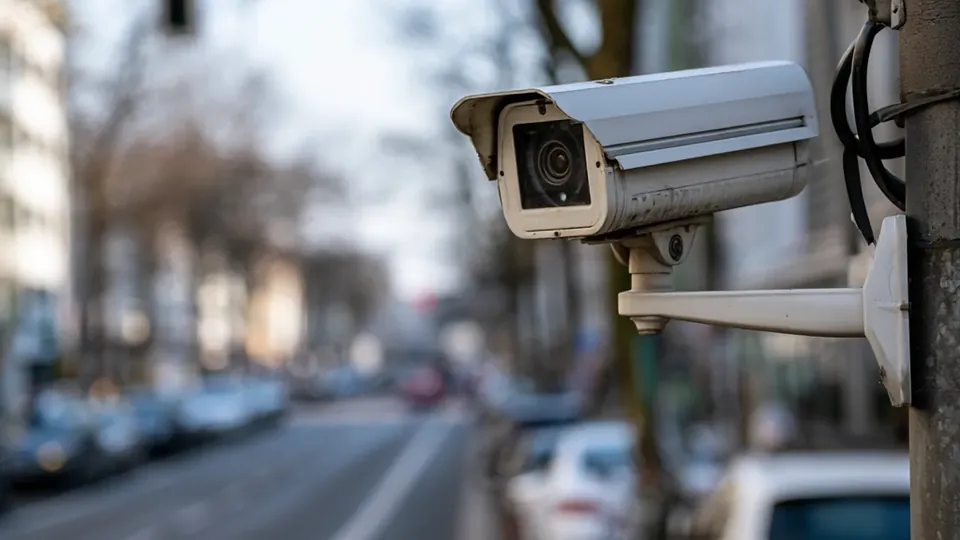
Three Different Things Called Alarm

First, the app alert: a push notification and sound on your phone when the recorder reports an event. Second, the camera deterrent: certain camera models carry a siren or strobe that can sound on motion or on your command. Third, the recorder alarm output: a wired signal that can trigger an external siren, light, or panel.

gCMOB displays and manages the first directly. The second and third are configured mainly on the camera or recorder, with the app able to trigger or view them only where the hardware supports it:

  • App alerts notify your phone
  • Camera sirens deter at the scene
  • Recorder outputs drive external devices
  • Configuration lives mostly on hardware
  • App support varies by model

Active Deterrence Cameras: Siren and Strobe

Active deterrence cameras combine detection with an immediate response: a spotlight or strobe, a recorded warning or siren, and a push alert to your phone, all from one event. They suit yards, gates, and storage areas where scaring off an intruder beats silently filming one.

Volume and sensitivity need judgment. A siren that fires for every cat trains the whole street to ignore it, including on the night it matters:

  • Deterrence suits yards and gates
  • Combines light, sound, and your alert
  • Tune sensitivity to real intrusions
  • Warn visitors the system is active
  • Check local noise rules before loud settings

Arming Schedules: When Alarms Should Be Live

Alarm responses should follow occupancy. A home system arms deterrents at night and when the house is empty; a shop arms them outside trading hours. Recorders support time schedules per channel and event type for exactly this.

Set schedules on the recorder carefully and test them by walking the protected area during an armed period while watching for your own phone alert and the deterrent response:

  • Arm by schedule, not permanently
  • Homes: nights and empty hours
  • Shops: outside trading hours
  • Schedules are set on the recorder
  • Test with a deliberate walk-through

Reducing False Alarms Systematically

False alarms come from motion zones drawn over moving trees, roads, or reflective surfaces, and from sensitivity left at maximum. Shrink detection zones to the ground area people must cross, lower sensitivity in steps, and use line-crossing or intrusion rules where the recorder offers smarter detection.

Review the week's false events in playback before changing anything; patterns, such as a neighbor's headlights at a fixed hour, point straight at the correct fix:

  • Tighten motion zones to real paths
  • Reduce sensitivity in steps
  • Smart detection beats raw motion
  • Review false events weekly at first
  • Headlights and foliage are classic culprits

What gCMOB Shows and Controls for Alarms

In the app you receive the event alerts, can review the linked playback, and on supported models may trigger deterrent actions or talk through the camera to warn someone off. Two-way talk is often the most effective response of all: a voice announcement that the person is seen and recorded ends most opportunistic intrusions instantly.

Keep expectations aligned with your hardware. If a camera has no siren, no app setting can give it one:

  • App delivers alerts and linked playback
  • Two-way talk warns intruders directly
  • Deterrent triggers depend on the model
  • Event lists separate alarm types
  • Hardware decides what is possible

Linking Alarms With gCMOB Alerts and Talk

The strongest response chain combines all three layers: detection triggers the deterrent at the scene, the push alert reaches your phone with linked playback, and two-way talk lets you speak before deciding whether the event needs police, a neighbor, or nothing.

Rehearse the chain once with a family member triggering it. Knowing exactly which buttons you will press at 3 a.m. is the difference between a system and a collection of features:

  • Deterrent, alert, and voice together
  • Playback linked to the alert
  • Talk before escalating
  • One rehearsal builds confidence
  • Decide response roles in advance

Alarm Logs and What to Review Monthly

Recorders keep event and alarm logs that most owners never open. A monthly skim shows patterns worth acting on: one channel alarming every windy night, deterrent triggers clustering at a delivery hour, or a camera that stopped reporting entirely.

Logs turn alarm tuning from guesswork into maintenance, and they are the first place to check when a neighbor complains:

  • Monthly log review
  • Patterns point at exact fixes
  • Silent channels are a warning
  • Logs help answer complaints
  • Tuning becomes maintenance, not guesswork

Conclusion

Alarm features around gCMOB work when each layer does its own job: the recorder and cameras detect and deter on a sensible schedule, and the app puts the alert, the playback, and your voice in your hand within seconds.

Tune zones and sensitivity until false alarms are rare, test the full chain with a walk-through, and the siren becomes what it should be: an uncommon sound that everyone, including you, takes seriously. The companion guide gCMOB Push Notifications and Motion Alerts Setup Guide covers the neighbouring topic in the same step-by-step style. The related walkthrough in gCMOB Two-Way Talk Guide: Talk Through Your CCTV Camera picks up the neighbouring topic in full.